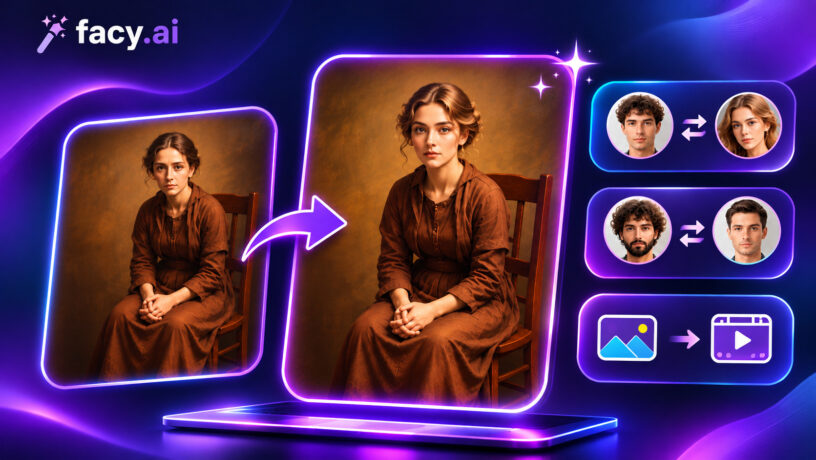
Photo face swap is an image-processing operation that transplants the face region from one photograph onto a second. The process runs a three-stage pipeline: face detection, geometric alignment, and boundary blending. Each stage depends on the one before it, so a failure in detection makes the downstream stages unreliable regardless of the tool used. Browser-based implementations such as Facy.ai photo face swap run this pipeline server-side on a GPU and return a composited result in seconds, with no software installation required. This guide breaks down how each stage works technically, where the pipeline commonly fails, and how to select input images that consistently produce a clean result.
How does AI photo face swap work?
A face swap pipeline runs three sequential stages. A failure at any stage propagates visibly into the final image.
Stage 1: Face detection and landmark localisation
A convolutional detector, such as RetinaFace or MTCNN, locates every face and produces two outputs: a bounding box and a set of facial landmarks (typically 68 or 106 key points) placed at the eye corners, nose tip, mouth corners, and jawline. Without a confident landmark set, the pipeline stops.
Stage 2: Geometric alignment and warping
The landmarks are used to estimate each face’s 3D pose: yaw (left/right turn), pitch (up/down tilt), and roll (in-plane rotation). An affine transformation then warps the source face so its landmark positions map onto the corresponding positions on the target. For large pose differences, some pipelines substitute a 3D Morphable Model (3DMM) fit to generate plausible geometry for occluded regions.
Stage 3: Blending and compositing
The warped face is composited onto the target using Poisson image editing or alpha-matting to reconcile skin tone and illumination at the boundary. This is the stage where most visible artefacts appear: colour halos at the face edge, sharpness mismatches, or shadow inconsistencies when the two images were shot under different lighting conditions.
How to do a photo face swap: step by step
The workflow is consistent across most browser-based face swap tools.
Step 1: Upload the source face
Use a clear, front-facing shot under even, diffuse light with nothing blocking the face. Glasses, scarves, and hard shadows reduce landmark detection confidence.
Step 2: Upload the target image
The face must be fully visible and, ideally, at a pose angle close to the source (similar yaw and pitch).
Step 3: Run the swap and download
Confirm consent for every face uploaded, trigger the pipeline, and download the result immediately. Most tools delete both the uploads and the output automatically after a short retention window. Common accepted formats: JPG, PNG, WEBP, BMP, GIF.
Technical limitations and common detection errors
Each stage has specific failure conditions. Knowing them makes it easier to debug a poor result.
Pose limits. Most models are trained on near-frontal images. Accuracy drops significantly beyond about 45 degrees of yaw; at extreme profiles the occluded landmarks cannot be reliably located and the affine warp produces visible distortion at the jaw and hairline.
Occlusion. Sunglasses, face masks, scarves, and hard shadows reduce the number of landmarks the detector can place with confidence. The pipeline either skips the face or runs with a reduced landmark set, degrading alignment accuracy.
Resolution and compression. Faces smaller than roughly 100 x 100 pixels provide too few pixels for reliable landmark placement. JPEG compression at high ratios introduces blocking artefacts near the eyes and mouth that the blending stage amplifies.
Lighting normalization. Poisson blending compensates for gradual colour differences but cannot reconstruct shadow geometry. Conflicting light direction between source and target produces a visible seam at the neck boundary.
Multiple faces. When the target contains more than one face, most tools default to the largest detected bounding box. If the wrong face is selected, crop the image to isolate the intended target before uploading.
If a result looks wrong, check the inputs against these criteria before adjusting any tool settings.
Legal and ethical considerations
Get consent from every person whose face you upload. Never create or distribute non-consensual intimate imagery, which is a criminal offence in many jurisdictions. Do not impersonate real people for fraud or harassment, and do not upload images of minors. The same pipeline underlies deepfakes; label face-swapped content as synthetic when publishing publicly.
Frequently asked questions
What is a photo face swap?
A photo face swap is an image-processing operation that detects the face region in a source image, geometrically warps it to match the pose and scale of a face in a target image, and blends the result at the boundary to produce a composite that appears natural. Modern implementations use deep learning face detectors and landmark models to automate alignment.
What models are used in AI face swap?
Detection uses convolutional models such as RetinaFace or MTCNN, which output bounding boxes and 68- or 106-point landmark sets. Alignment uses affine transforms or 3DMM fitting for large pose differences. Blending uses Poisson image editing or alpha-matting. End-to-end GAN pipelines such as SimSwap and GHOST replace explicit alignment with a learned encoder-decoder mapping.
Why does a face swap look unnatural?
The most common causes: a large pose difference between source and target (distortion at the jaw and hairline); conflicting lighting direction (shadow inconsistency at the neck); low resolution or heavy JPEG compression (landmark inaccuracy and boundary artefacts); and facial occlusion (reduced landmark set). Fixing the input images addresses each of these without changing the tool.
Is photo face swap the same as a deepfake?
The underlying pipeline is identical. “Deepfake” refers to the application, typically non-consensual synthetic video of a real person, not the technology. Photo face swap uses the same detection-alignment-blending process applied to still images. The distinction is one of intent and consent, not technique.
Conclusion
Photo face swap in a browser is practical for one-off tasks that do not require pipeline-level control. Result quality depends primarily on inputs: near-frontal poses (yaw within about 20 degrees), consistent diffuse lighting, and sufficient resolution (minimum around 100 x 100 px at the face). Most poor results trace to one of the five failure modes above. Test the free face swap tool at Facy.ai with your own images.