In most teams the proxy question shows up as a one-line ticket: “Which proxies do we buy for the collector?” Then it gets answered the way database choices used to be answered, by whoever has the strongest opinion in the room. One person swears residential is the only thing that works. Another says it is a waste of money and datacenter has always been fine.
Both are right about the jobs they have run and wrong as a general rule. Datacenter vs residential proxies is not a quality ranking. It is closer to choosing between two instance types: each has a profile, and the right one depends on the workload. This article skips the sales pitch and treats it like any other infrastructure decision. Write down the requirements, answer five questions, and measure whatever is still unclear.
What you are choosing between
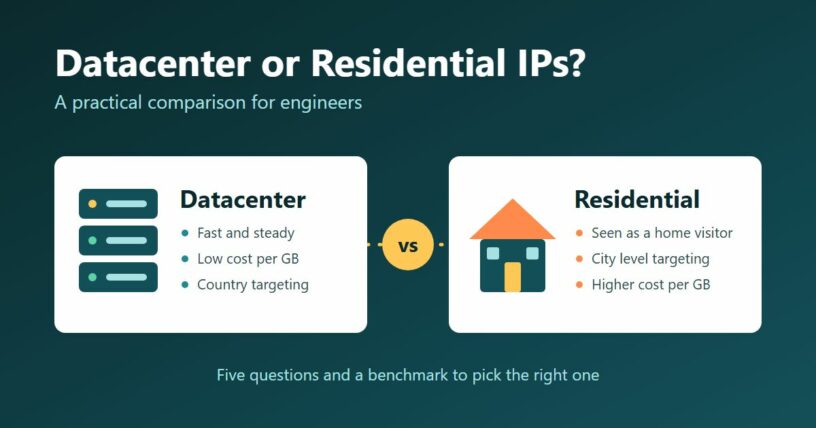
A datacenter proxy exits from a server in a hosting facility. A residential proxy exits from a home internet connection that is part of a provider’s pool. Everything else follows from that. The server is quick, always on and cheap to run, and its address is publicly registered to a hosting company, so any website can see that a machine is calling. The home connection is slower and less dependable, and it costs more per gigabyte, but to a website it looks like an ordinary visitor.
That is all the theory you need for the rest of this piece. If you would like the longer background, ProxyEmpire has a guide to datacenter vs residential proxies that goes through speed, detection and real cost side by side.
Five questions that settle most cases
Does the target filter by network type?
This is the big one, and you do not have to guess. Spin up the cheapest cloud VM you can find, send fifty polite requests to the pages you care about, and look at what comes back. If you get clean pages, the target does not mind servers and datacenter IPs will do. If you get refusals, challenge pages or pages with pieces missing, it does mind, and no amount of datacenter rotation will change that.
Do you need a location finer than a country?
Datacenter pools are spread across countries, and that is usually where the targeting stops. If the requirement is “show me this page as a user in Lyon sees it” or “as a customer of a particular broadband provider sees it”, you are in residential territory regardless of how the target treats servers. Store locators, delivery fees, local search results and regional ad campaigns all fall here.
Is the workload stateful?
Independent GET requests do not care which address they leave from. A login followed by forty paginated calls does. Datacenter IPs are steady, so holding one for an hour is no problem. Residential pools offer sticky sessions, but the device at the other end belongs to someone else and can drop off the network mid-job. Stateful work on residential IPs needs checkpointing and the ability to resume on a new address. Budget engineering time for that, not only bandwidth.
What is your latency budget?
If something downstream waits on the response, such as an uptime probe, a live price check inside a user request, or an API poller on a tight interval, you want the predictable option. Residential response times have a long tail. For batch jobs that run overnight, nobody cares whether a page took 300 milliseconds or three seconds.
How heavy is each page?
Both types are usually billed by traffic, so page weight multiplies the price gap. Fetching raw HTML or JSON is light. Rendering pages in a headless browser pulls scripts, styles, fonts and images, and can use many times the bandwidth for the same data. A browser-based job on residential IPs is the most expensive combination there is. If you end up there, block the resource types you do not need before you look at the invoice.
If questions 1 and 2 both come back “no”, buy datacenter and move on. If either is a clear “yes”, you need residential for that target. The awkward middle, where a target sort of works from servers, is where measuring pays off.
Measure it: a small benchmark
Most providers sell a small starter package for each type. That is enough to run a real comparison against your real targets. The script below sends the same list of URLs through each proxy type and reports four numbers per type.
import statistics
import time
from concurrent.futures import ThreadPoolExecutor

import requests

TIERS = {
    "datacenter": "http://USER:PASS@dc-gateway.example.com:8000",
    "residential": "http://USER:PASS@resi-gateway.example.com:9000",
}
MUST_CONTAIN = "product-price"  # a string every good page includes
WORKERS = 10

with open("urls.txt") as f:
    URLS = [line.strip() for line in f if line.strip()]

def fetch(url, proxy):
    start = time.perf_counter()
    try:
        r = requests.get(url, proxies={"http": proxy, "https": proxy}, timeout=30)
        ok = r.status_code == 200 and MUST_CONTAIN in r.text
        return ok, time.perf_counter() - start, len(r.content)
    except requests.RequestException:
        return False, time.perf_counter() - start, 0

for tier, proxy in TIERS.items():
    with ThreadPoolExecutor(WORKERS) as pool:
        results = list(pool.map(lambda url: fetch(url, proxy), URLS))
    good = [r for r in results if r[0]]
    if not good:
        print(f"{tier:12} no valid pages out of {len(results)}")
        continue
    times = sorted(r[1] for r in good)
    p95 = times[min(len(times) - 1, int(len(times) * 0.95))]
    mb = sum(r[2] for r in good) / 1e6
    print(
        f"{tier:12} valid {len(good) / len(results):6.1%}  "
        f"p50 {statistics.median(times):.2f}s  p95 {p95:.2f}s  "
        f"MB per valid page {mb / len(good):.3f}"
    )
A few choices in there are deliberate.
- “Valid” is not “200”. The check looks for a string that every good page contains, such as the CSS class of the price element. Some sites answer unwanted traffic with a normal status code and a page that has the important parts removed. Counting status codes alone would score that as a success.
- Megabytes per valid page is the cost figure. Multiply it by your price per gigabyte and you have the cost of a thousand usable pages for each type, which is the number to compare. The script counts traffic from valid pages only, which matches providers that do not charge for failed or blocked attempts. Check how yours bills. If every attempt is metered, sum over results instead of good.
- The byte count is an estimate. The script measures decoded response bodies. Your provider bills what crossed the wire, including headers and TLS overhead and before decompression. Use the script to compare the two types and the provider’s dashboard for the true total.
How to run it so the result means something
A benchmark is easy to get wrong in ways that flatter one side.
- Use your real URLs. A few hundred pages per target, mixed across the page types you will collect. A homepage is often less protected than a product or search page.
- Run at your real concurrency. A target that accepts ten parallel datacenter connections may refuse a hundred. Set WORKERS to what production will use.
- Repeat it at different hours and on different days. Residential pools change through the day as devices come and go, and target sites tighten or relax their rules over time. One run is an anecdote.
- Read p95 before p50. Median latency on residential IPs often looks fine. The slow tail is what fills your worker pool and sets your timeout.
- Keep the client identical. Same headers, same library, same delays for both types. Otherwise you are benchmarking your HTTP client, not the IPs.
Datacenter vs residential proxies by workload
After enough of these tests, patterns appear. This is where common jobs tend to land. Treat it as a starting guess to confirm, not a rule
| Workload | Usual pick | Reason |
|---|---|---|
| Polling public or partner APIs | Datacenter | Limits are per IP or per key, not per network type |
| Uptime and performance checks from several countries | Datacenter | Needs steady latency, country is enough |
| Crawling documentation, news, open data | Datacenter | Rarely filtered, high volume |
| Prices on large marketplaces and travel sites | Residential | Server ranges are commonly challenged |
| Search results for a given city | Residential | Needs city level location |
| Ad verification and localisation QA | Residential | The point is to see what a real local user sees |
| Long catalogue with a few strict targets | Both | Route each target to the cheapest type that passes |
The last row is more common than either pure case. Nothing forces a single choice for the whole system. A per-target setting in your config, filled in from the benchmark, is often all the routing logic you need.
Common mistakes
- Testing against a speed test page. It tells you how fast the proxy is to a site that welcomes everyone. Your target is not that site.
- Deciding once and never checking again. Sites change their defences, sometimes to stricter and sometimes to looser. Rerun the benchmark every quarter, or you may keep paying residential rates for a target that no longer filters servers.
- Committing to a large plan before the first test. Buy the smallest package of each, measure, then size the order from the megabytes-per-page figure.
- Switching type mid-session. If a logged-in flow starts on one network and continues on another, the site sees an account that jumped from a home to a server rack. Pick one type per session.
- Skipping the sourcing question. Residential addresses belong to real people. Ask the provider how those people agreed to share their connection, and walk away if the answer is vague.
Wrapping up
Datacenter IPs are the default: fast, steady and cheap, and good enough for a large share of the web. Residential IPs are the tool for targets that refuse servers and for work that needs a precise location, and you pay for that in money, latency and extra failure handling. Five questions sort out most projects in a few minutes. For the rest, an afternoon with a small benchmark and your own URLs beats any opinion, including the ones in articles like this. Whichever you choose, keep to public data and a request rate the target can comfortably serve.