Changelog screenshots drift for a boring reason. The prompt that looked fine last sprint returns a melted icon edge or a fake empty state nobody shipped. A Nanobanana maker lane only helps a docs desk when each accepted frame can be re-run like a failing test — not when someone scrolls for inspiration and hopes the next Generate lands.
This walkthrough builds that harness on NanoMaker AI’s public Image path: model pick, prompt paste, optional JPEG/PNG/WebP upload under 5MB, then Generate. Keep the goal narrow. Fixture-green help-center art. Pretty style waits until the pass rule is green.
Goal: Fixture-green docs art, not mood boards
Success means a second person can open the live page beside the image at published width and name the three locked controls without squinting. Failure means invented CTAs, rewritten button copy, or a crop that hides the evidence. Soft fail: prettier gradients that still keep the controls. Hard fail: missing settings row. Write those signals down before the first credit burns.
If that bar feels too strict for “marketing art,” you are in the wrong article. Marketing can chase vibes. Docs cannot. On a sprint desk, designers usually discover the difference after support already answered tickets with a screenshot that invents a toggle. The fixture rule exists to stop that ticket before it opens — not to win a taste debate in design critique.
Write the pass rule in the same pull request as the docs change. Reviewers should be able to reject an image for a failed control list the way they reject a broken unit test. When image review stays subjective, Generate clicks multiply without teaching the next sprint anything.
Prerequisites sit in the repo, not in chat
Before the editor opens, drop three files next to the docs PR: a live UI reference crop, a one-paragraph prompt that names exact controls, and an acceptance note in plain language. Name them like tests — settings-strip.prompt.txt, settings-strip.accept.md, settings-strip.pass.png. If you cannot score a draft against the note in under a minute, you are still asking for vibes.
Skipping the pack is how re-work eats the afternoon after the PR merged. Chat threads full of “final-final.png” are not fixtures. The pack is the whole point of treating prompts as regression inputs. NanoMaker AI can iterate quickly; only the folder decides whether speed helped.
Keep the acceptance note shorter than a paragraph if you can. Long notes become unread essays. Short notes force concrete signals: three control names, one forbidden invention, one width at which labels must stay readable. That brevity is what makes the battery runnable under release pressure. If the note needs a meeting to explain, it will not survive the next hotfix night.
Step one: Lock aspect and controls before adjectives
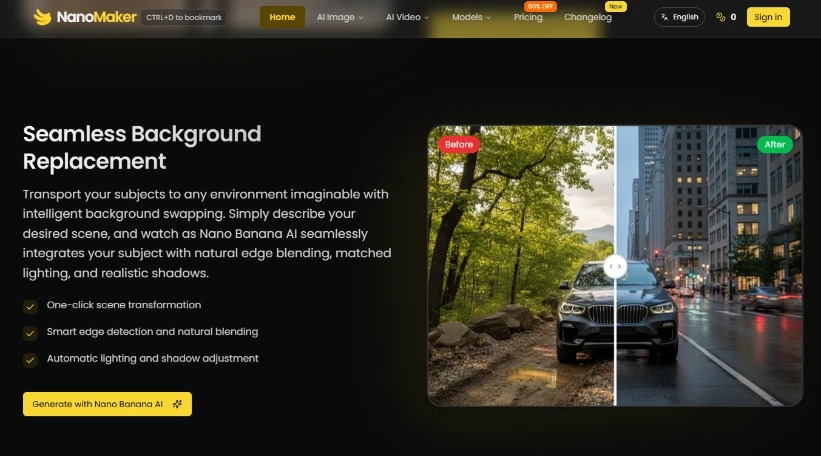
Open AI Image. Choose the cheap draft model you budgeted — Nano Banana at 5 credits for thrash, or Nano Banana 2 at 6 credits for a 1K everyday run. Set aspect to the docs slot (16:9 or 1:1) before any fashion-magazine language enters the prompt. Name the screen and the exact three controls that must appear. Only then click Generate.
The public Generate control often shows a 6-credit default for Nano Banana 2 at 1K. Treat that number as the cost of one fixture attempt. Do not “improve” composition afterward by switching aspect and pretending it is still the same test. Aspect changes start a new experiment with a new name.
If the first clean case fails because the prompt never named the empty-state sentence, stop. Fix the text. Do not add adjectives to cover the miss. Adjectives hide broken fixtures; they do not repair them. Teams that skip this pause usually spend the rest of the battery documenting the same failure four times.
Step two: Run the dirty prompt battery
Keep destination crop and pass rules fixed. Change only the stress you intend to measure. Three to four runs are enough for a release week; more without a new hypothesis is just burning the pool.
Clean control case with locked aspect ratio
Plain prompt, real controls, matching background. Download only if labels stay readable at docs width. This file becomes the golden pass others must beat or match. If it fails the width check, fix the prompt before adding stress cases — otherwise every later run inherits the same miss.
Compressed upload still under five megabytes
Upload a slightly crushed PNG of the real UI still under the 5MB ceiling. Ask for cleanup without redesign. If the cleaned panel invents a fourth tab, discard it even when the preview looks sharper on a large monitor. Image-to-image only helps when the upload is production truth. A stock mock “for vibes” teaches the wrong chrome and wastes the credit.
Hostile adjective append that begs drift
Reuse the clean prompt, then append lifestyle adjectives. Pass only if the UI stays boring and correct. Soft fail: prettier gradients. Hard fail: rewritten button copy. Stamp both outcomes with the prompt file name so the next person does not repeat the burn during the next release train.
Gallery seed edited before fixture use
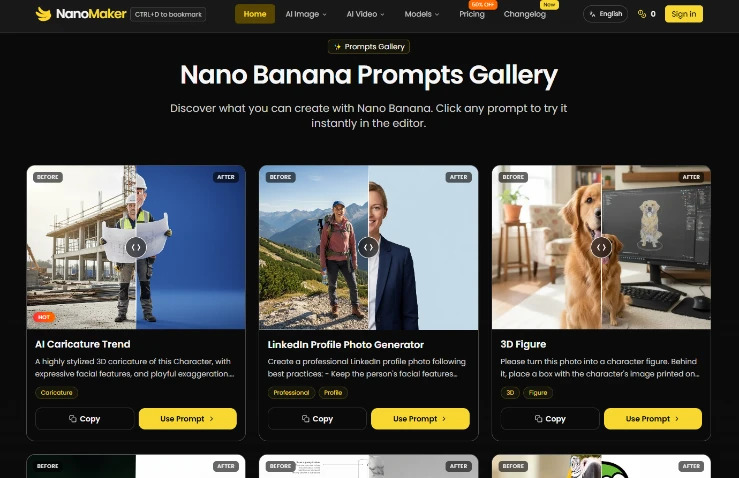
When you need a disciplined starting text — line drawing, product isolation, headshot framing — open the public Banana prompts gallery, hit Copy or Use Prompt, then strip anything that fights UI truth. NanoMaker AI makes one-click paste easy; ownership of the edited descendant is still a human job. Put the edited prompt back in the repo the same day, or delete the download so nobody mistakes it for a golden file.
Acceptance check and common fixture errors
Before merge, open the candidate beside the live page at published width. Reject smeared microcopy, changed empty-state sentences, and any control order that does not match production left-to-right. A second reviewer who cannot name the three locked controls means the fixture failed, no matter how the Slack thread reacted. Full-bleed previews lie; inset docs width is the only court that counts for help-center art.
- Error: regenerating from memory after the PR merged — rebuild the pack first.
- Error: jumping to Pro’s 25–50 credit band for the hostile adjective test — keep Pro for print one-pagers.
- Error: leaving keepers only in the browser — download accepted frames; public storage is not a long archive.
- Error: unowned gallery clicks with no accept note — delete those downloads before they enter the help center.
New accounts get 6 credits on first sign-in — enough to prove the harness once, not to staff a release week. Yearly unused-credit rollover does not excuse unnamed experiments. When the battery is boring and repeatable, NanoMaker AI stops inventing features the build never shipped, and changelog art finally behaves like the rest of the test suite.
Ship the pack with the docs PR even when the image “looks obvious.” Future you will regenerate under different model defaults and different fatigue. The fixture is how the desk stays honest after the person who wrote the first prompt has moved to another squad. Boring packs beat clever prompts that nobody can re-run next month.