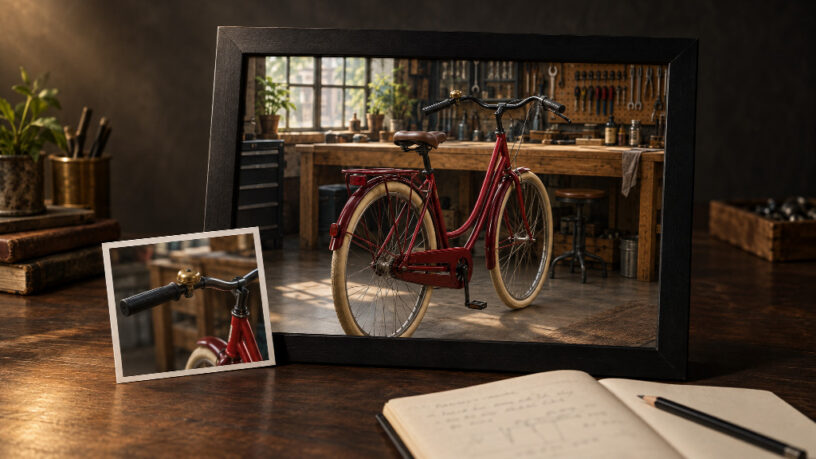
A repair sequence can fail across a cut even when each clip looks convincing. The mechanic’s apron changes, a bell switches sides, or a tool returns to the bench after being picked up. Reviewing clips separately can miss the contradiction.
Before generating footage, write a continuity specification that both the creator and reviewer can use. For a developer producing an illustrative explainer, a small versioned document can define the scene’s stable properties, permitted changes, and rejection conditions.
Define the scene and its sources
Consider a hypothetical bicycle repair demonstration. A mechanic checks a crimson commuter bicycle in a daylight workshop, then presses its brass bell. The example below is a proposed specification, not a report of generated results.
Name the sequence bike-check and give its specification a version. Attach an approved character reference, bicycle reference, workshop view, and voice sample if speech is planned. Identify the file and version for each reference. A folder containing several competing bicycle designs leaves the creator guessing which one governs the scene.
Keep the specification separate from individual shot instructions. The specification follows the sequence; each shot describes one action within it.
Turn descriptions into rejection rules
Write requirements that a reviewer can point to, hear, or compare. “Consistent workshop atmosphere” gives little guidance when two people disagree about an output.
For a broader method of translating identity and style requirements into review criteria, Astorie’s brand continuity framework provides useful context. The practical task here is to apply those distinctions to the specific scene.
| Category | Locked reference or rule | Allowed variation | Reject when |
| Character | Same mechanic; short dark curls, navy apron, olive trousers | Expression, pose, sleeve folds | Face or clothing identity changes |
| Prop | Crimson bicycle; cream tires; brass bell on rider’s left | Wheel rotation and steering during the specified action | Frame geometry changes, bell moves, or parts appear |
| Scene | Oak bench behind bicycle; window on the rear wall to camera left | Exposure within the daylight look; approved camera position | Bench relocates or lighting direction reverses without explanation |
| Sound | Quiet workshop ambience; one bell ring following the press | Natural decay of the ring | Ring precedes contact, repeats, or an unplanned voice appears |
Use physical orientation for prop rules: “rider’s left” survives a camera move. For set rules, record the reference camera position so “camera left” remains interpretable. An unseen detail should be marked unverified rather than assumed correct.
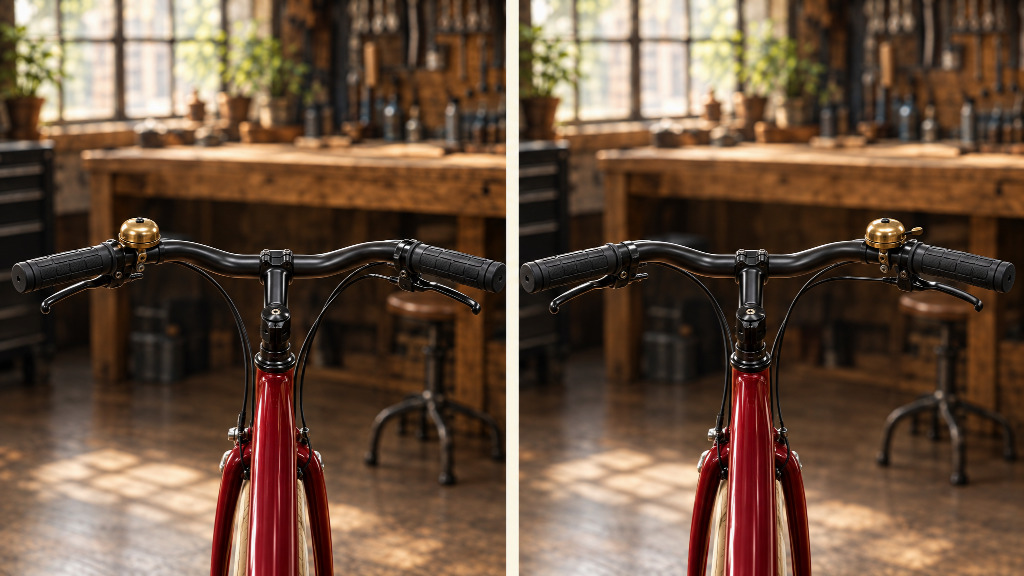
Illustrative continuity comparison: the left panel follows the rider-left bell rule; the right panel deliberately breaks it. This is a concept illustration, not a model test.
Record what changes across the cut
Some properties must change as the action progresses. Locking every frame to the original reference would prevent the demonstration itself.
For the first shot, record the end state: the mechanic stands beside the bicycle, one hand resting on the handlebar, with the bell untouched. The next shot begins from that state and shows the press. Record the hand used and which direction the bicycle faces.
If the edit jumps directly to a close-up, compare hand placement and handlebar orientation at the boundary. A close-up that resets the hand to the bench breaks the action even if the bicycle’s colors match perfectly.
Update the state record when an intentional action changes it. Keep stable identity rules and changing action states in separate fields.
Review the clip and the join
Check the opening frame, the action, and the end frame, then play neighboring clips together. Inspect moving details throughout the shot; an accurate opening does not establish that the bicycle remains intact.
Listen separately for the bell cue and unwanted speech. A still image cannot establish sound continuity.
Keep a compact review record: shot ID, specification version, candidate filename, failed rule, and decision. For example: S02 / v1 / candidate-03 / prop: bell on wrong side / reject. This is a human review note, with no assumed API integration or automatic visual validation.
Revise without losing the baseline
When a rule fails, return to the approved references and correct the affected shot. Recheck both neighboring cuts after replacement.
If the creative direction changes, increment the specification version and list the affected shots. Moving the bell deliberately requires updating every view where its position matters. It should not become an unexplained exception in one attractive clip.
Keep the approved specification with the selected footage. The next reviewer can then distinguish an intentional change from a continuity mistake without reconstructing the production history.